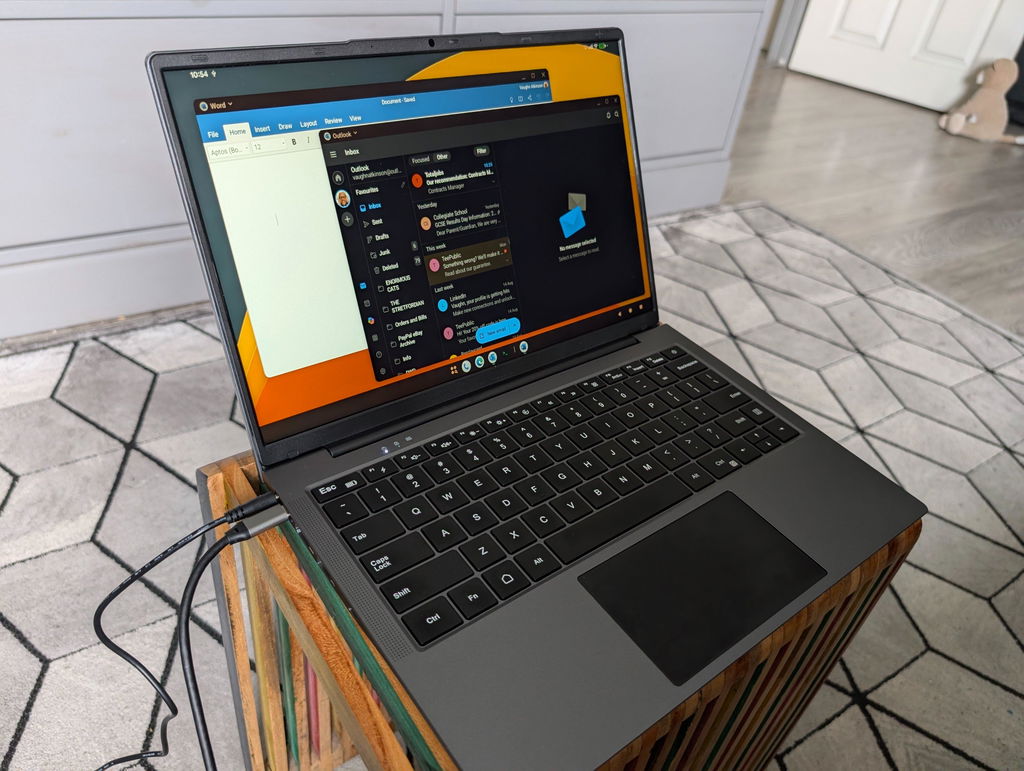
I've been searching for a lapdock to use with my ROG Ally as a laptop replacement. I found the Dopesplay 14" lapdock for a decent price and gave it a chance.
Overall the device looks premium, similar to a decent laptop, and the fit and finish is very good. The screen itself is nice and bright and the 16:10 aspect ratio is really good for productivity.
Out of the box the display does need configuring as the colour and contrast were poor. This was easy enough to do with the OSD however, and I got it to a point that I was really happy with it.
The device is easy to use, just plug it in and power it on with the USB C data cable connected and it picks up the external device quickly.
It makes using the ROG Ally as a "proper" device easy and increases productivity
OK, so thats the good stuff, now the not so good stuff
The keyboard feels horrible. I may have been spoilt by the keyboard on my Surface Laptop but it reminds me of a keyboard I had on a tablet case from 10 years ago. Very plasticky, noisy and has quite a bit of flex towards the middle.
The touch pad feels OK, however it doesn't get picked up in windows as a proper touch pad device so there's no palm rejection and only basic gestures. There are no drivers available to install and it shows in device manager as unknown device. Its somehow too sensitive in some situations and not sensitive enough in others.
There is a "reverse charging" feature but if you enable this with a high current device the whole lapdock switches off and it isn't immediately obvious how to disable it due to the device turning off each time
A little inconvenient that you can't charge via USB C and have to use the dedicated barrel jack but not the end of the world, the device does last a while.
Because it doesn't charge via USB C when the battery runs out it just switches off the whole lapdock and you have to plug in to the wall to keep using it - I don't have this issue with a "normal" external display power by USB
It's probably a niche case but It doesn't appear to support booting from USB - I assumed that the ports on the device would act like any other USB dock and pass through to the device but I have tried to boot windows from my portable Windows install and I cannot get it to pick up the device in the BIOS. If I attach a USB hub to the ROG Ally in between it and the lapdock I do pick up the USB to boot from.
The included USB C cable is good quality but the fit in the port on the dock is a little loose, which I tested with a few different high quality cables. Some would disconnect if bumped slightly and they are all working absolutely perfectly with my other devices.